


About the Venue
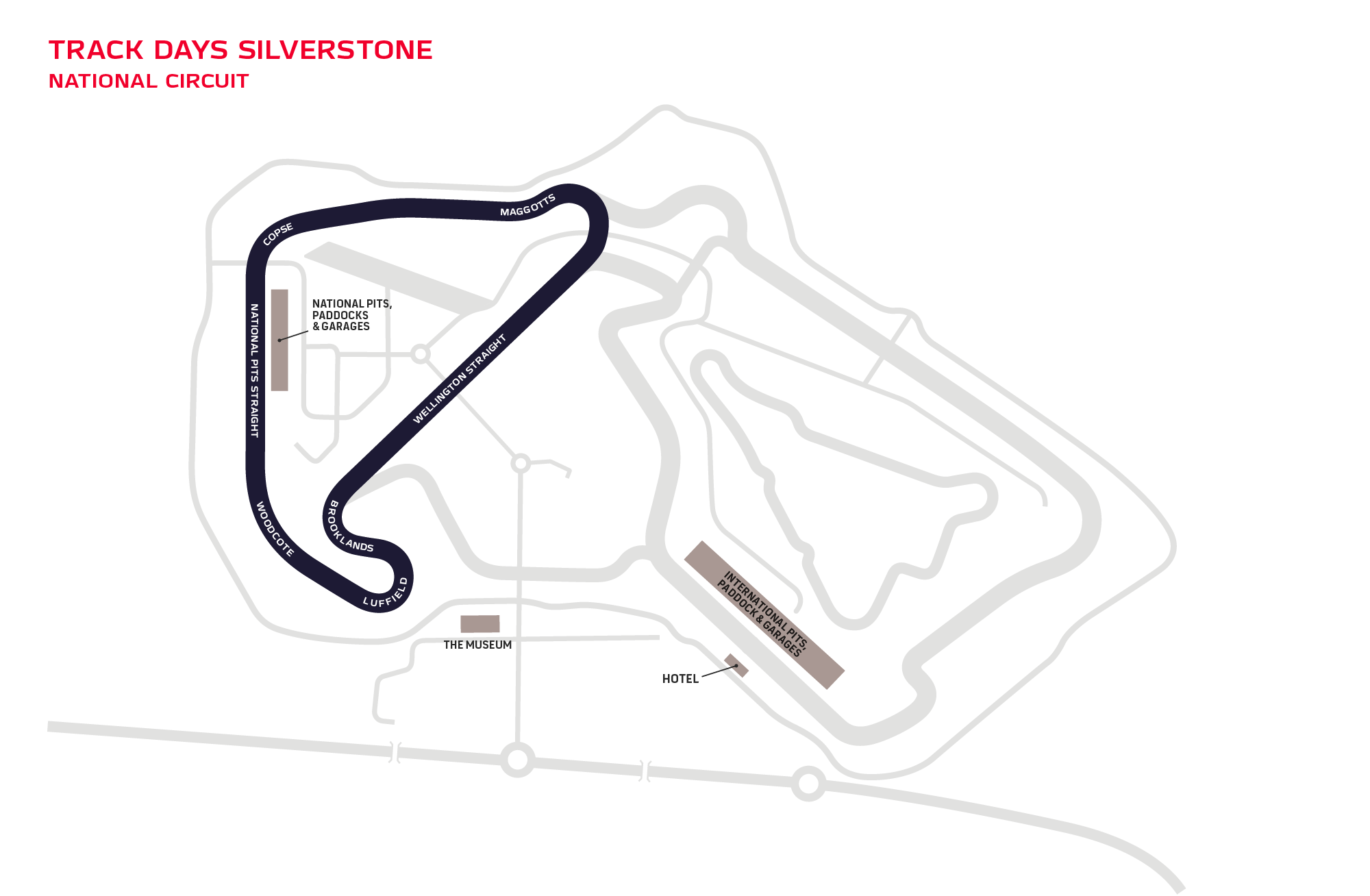
Silverstone National is a shorter 2.6 km layout within one of the world’s most famous racing venues, located in Northamptonshire. Although more compact than the full Grand Prix circuit, it still captures Silverstone’s trademark speed and smooth, flowing character. As a venue, Silverstone carries enormous heritage and remains one of the most prestigious places in the country to race.
Upcoming Events
.png.72430aa2b4349944df155b7aa685f6f7.png)

There’s always something special about racing at Silverstone. It’s such an important place in British motorsport, and even on the National layout you still get that sense of speed, space and history the moment you head out on track.
The National circuit is shorter and more direct, but that gives it its own challenge. Because the lap comes around quickly, there isn’t much time to recover from a small mistake, and momentum becomes incredibly important. It’s the sort of circuit where being clean and committed really pays off, especially when the racing is close.
By late September, the season will be reaching a critical stage, so a weekend at Silverstone feels like exactly the kind of occasion you want to be part of. It should be a big one for the championship and a brilliant one for Team Tofty to take on. I’m really looking forward to it.
If you’re following the Team Tofty journey this season, let me know you’re watching by RSVPing — it would mean a lot to know who’s with us as we head towards the final rounds.
The National circuit is shorter and more direct, but that gives it its own challenge. Because the lap comes around quickly, there isn’t much time to recover from a small mistake, and momentum becomes incredibly important. It’s the sort of circuit where being clean and committed really pays off, especially when the racing is close.
By late September, the season will be reaching a critical stage, so a weekend at Silverstone feels like exactly the kind of occasion you want to be part of. It should be a big one for the championship and a brilliant one for Team Tofty to take on. I’m really looking forward to it.
If you’re following the Team Tofty journey this season, let me know you’re watching by RSVPing — it would mean a lot to know who’s with us as we head towards the final rounds.